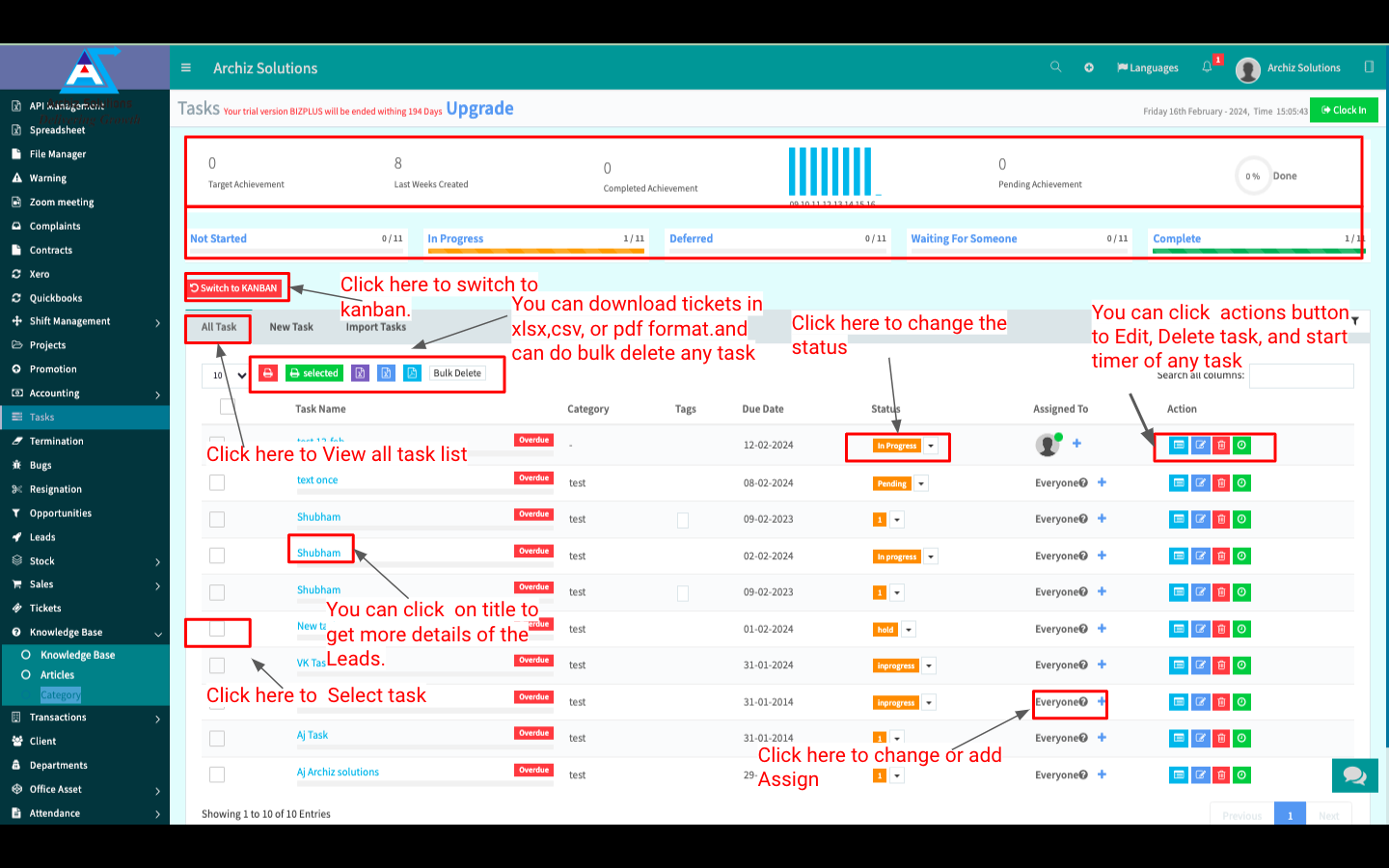
In “Tasks” menu you can see all your tasks.
You can also Create a New Task, Print, Change Task Status, Change Assigned, or Add New Assign. You can download all tasks in XLSX, CSV, PDF format. You can also Edit, Delete, or Start Timer of an existing task.
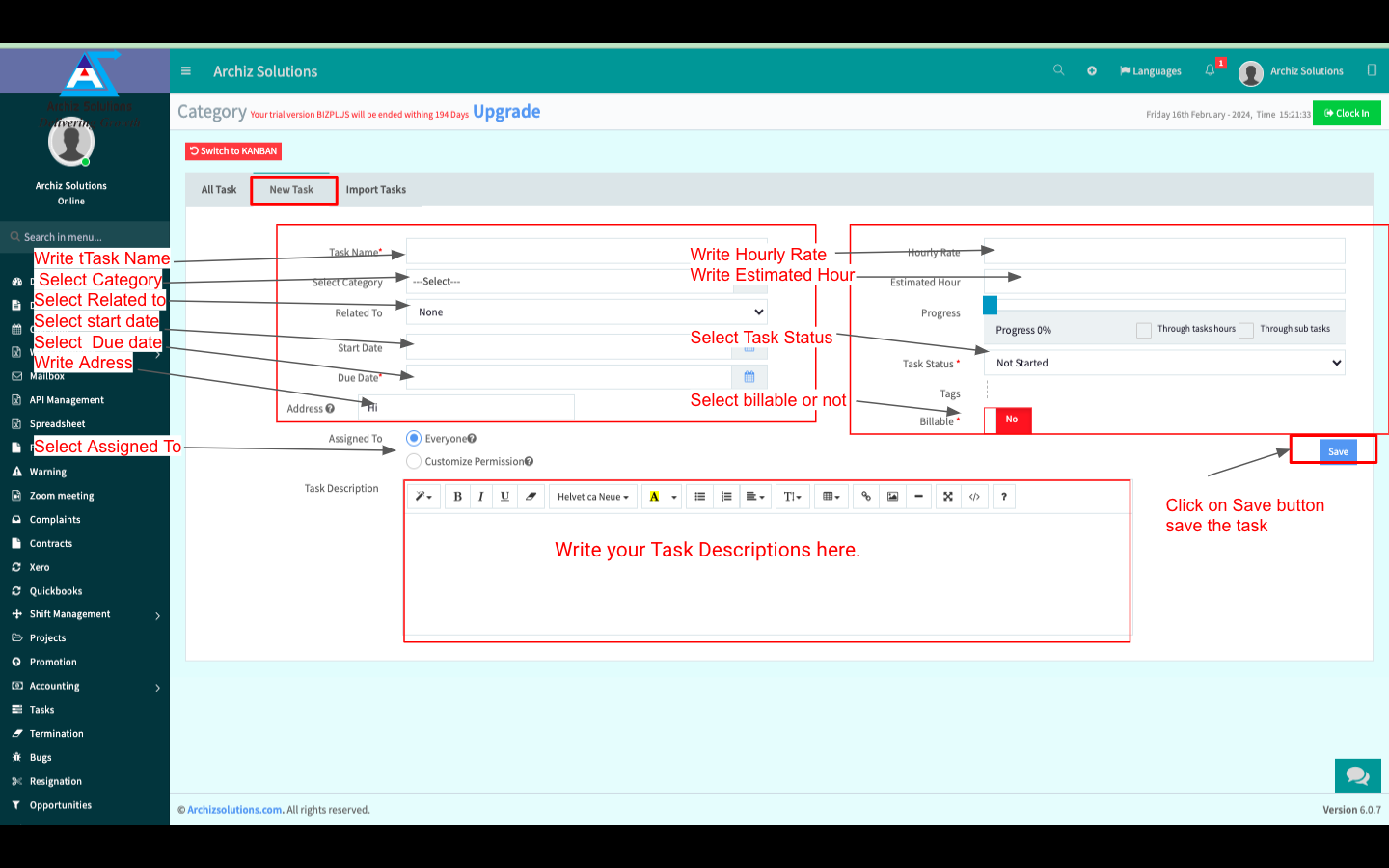
Create New Task:
You can also create a New Task. Enter Task Name, Select Category, Select Task Related To, Set Task Start & End Date, Set Hourly Rate, Set Estimated Hour, Select Progress, Select Task Status, Enter Task Tags, Write Task Description, Enable or Disable Billable Button, Select Task Assigned To and Click “Save” to save the New Task.
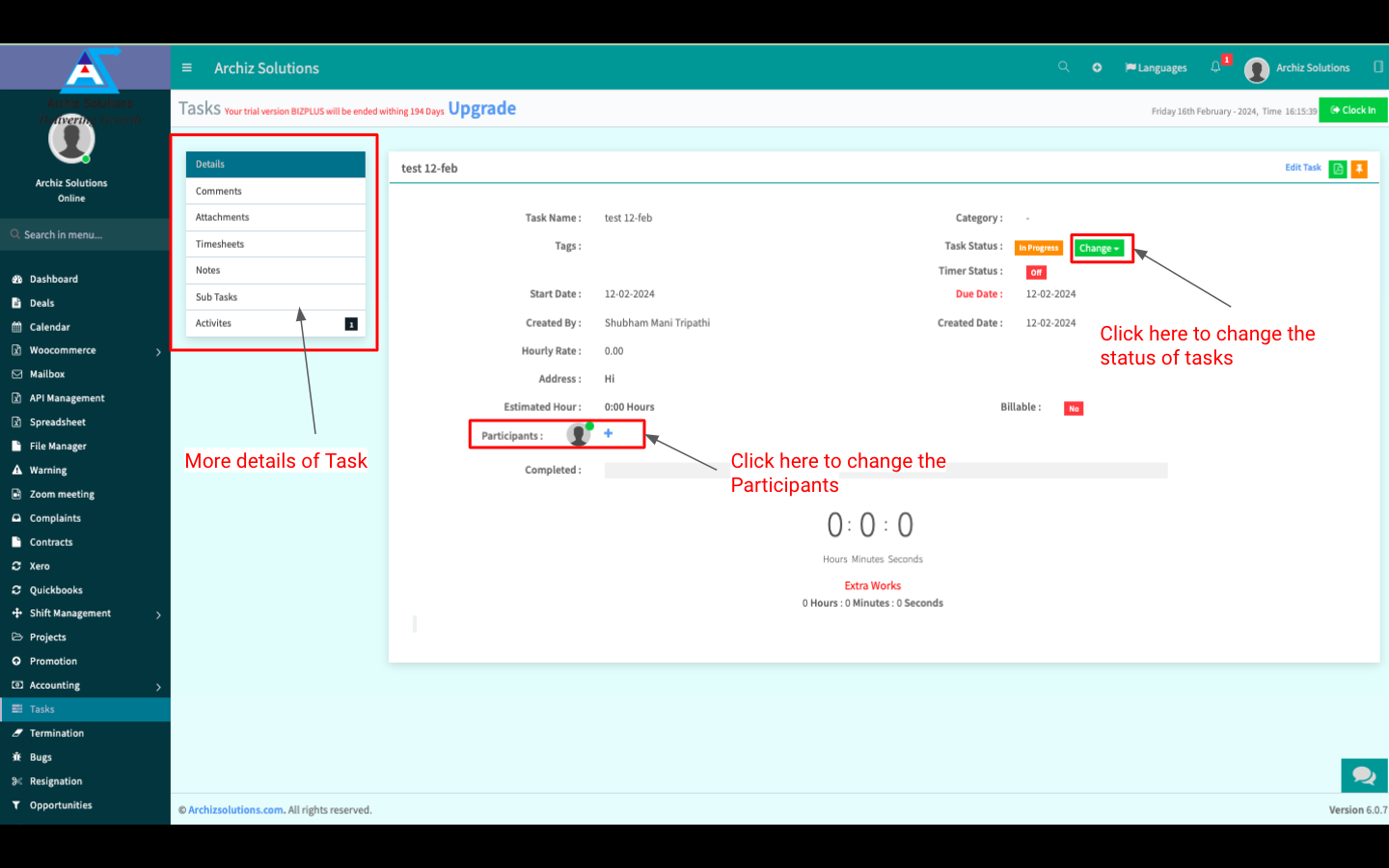
Task details:
You can check the Task Overview in “Task Details”.
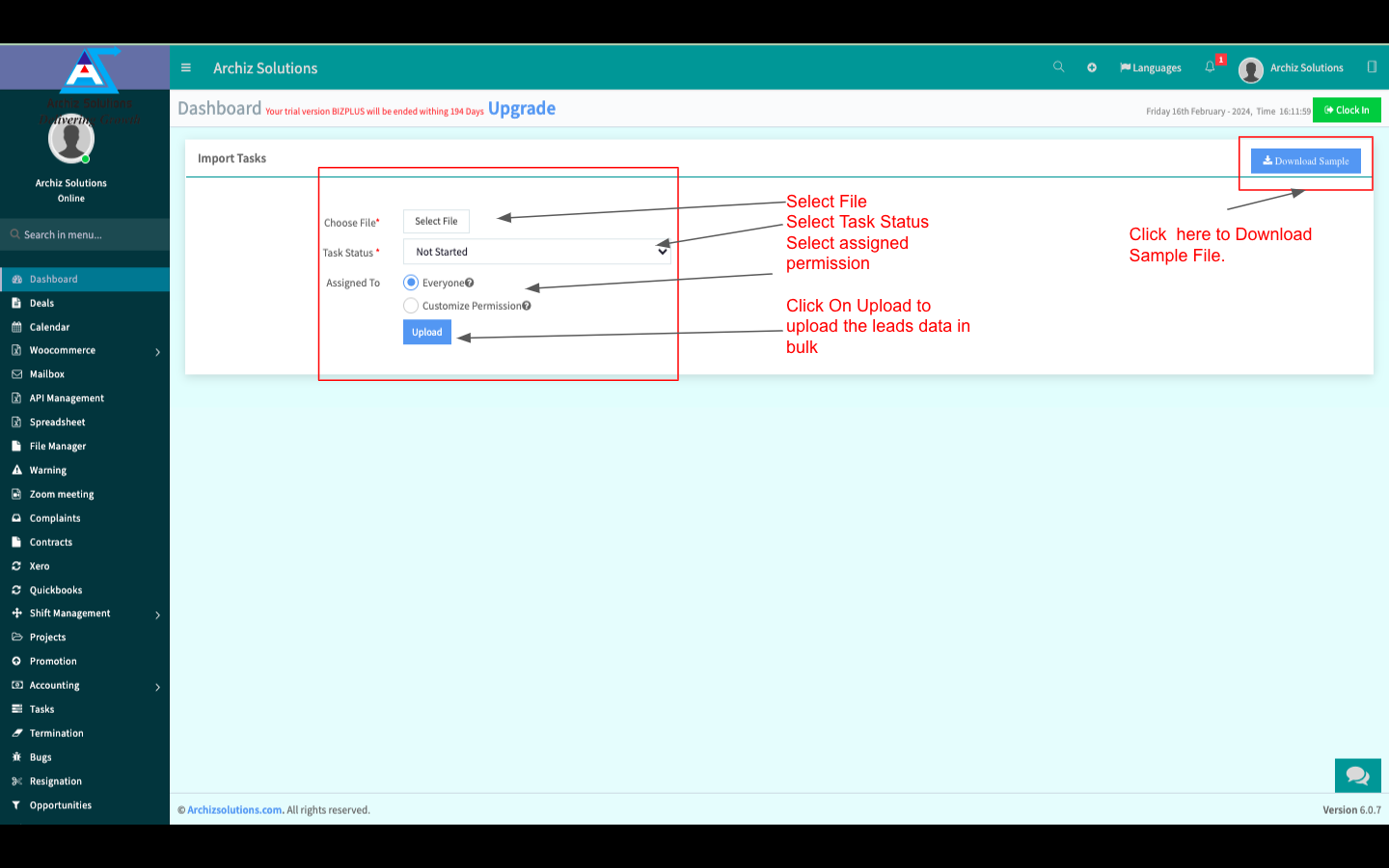
Import Task:
You can also upload an existing Task File from your Local Storage (XLSX, CSV File Only).