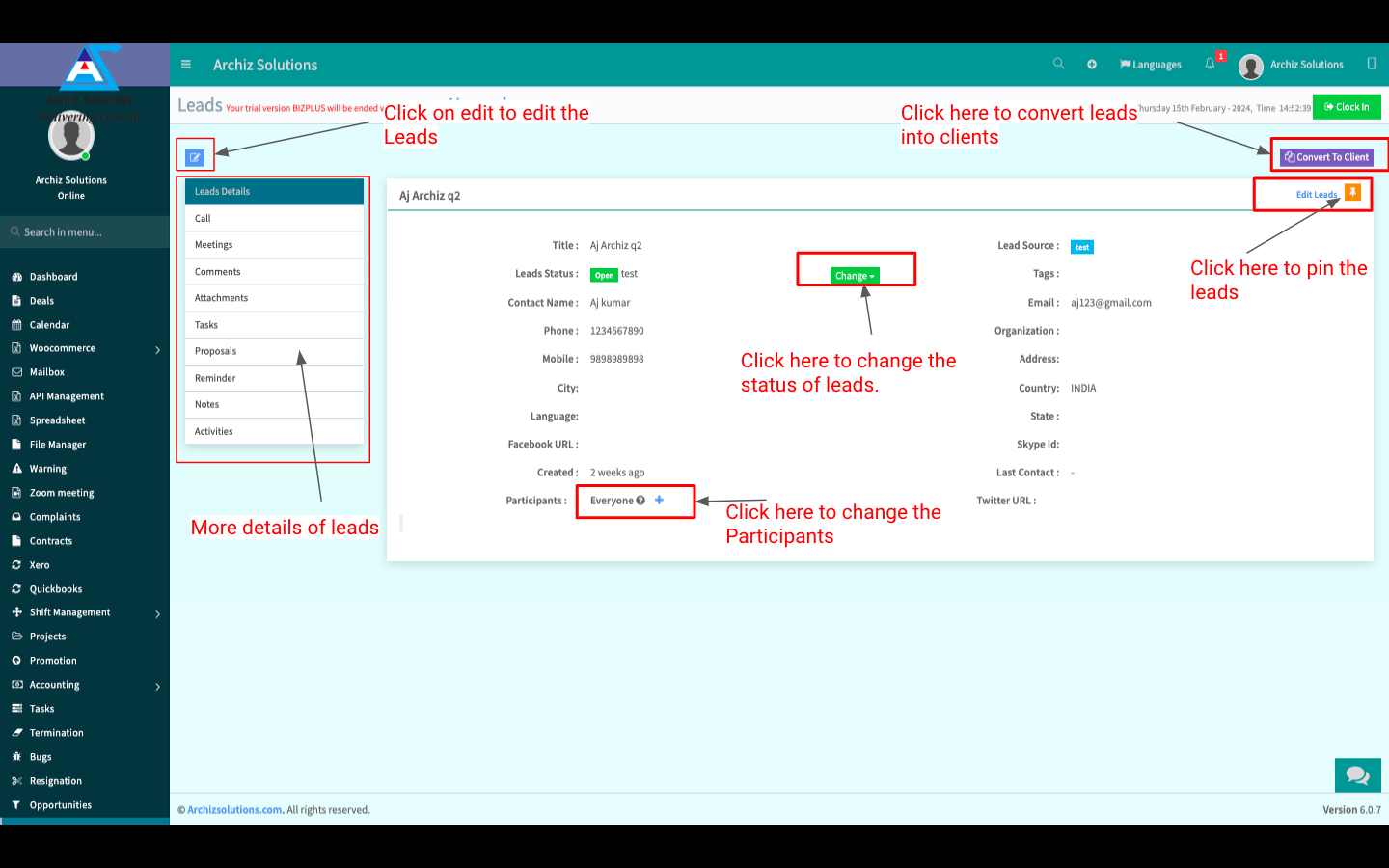
In the “Leads” menu you can see all Leads.
The Leads menu is displayed in List Mode, you can switch to KANBAN Mode. You can create New Leads, Import Leads from your local storage, Print or Download Leads in XLSX, CSV or PDF Format, view more details, Change Lead Status, and Change Lead Assigned. You can also Edit or Delete an existing Lead
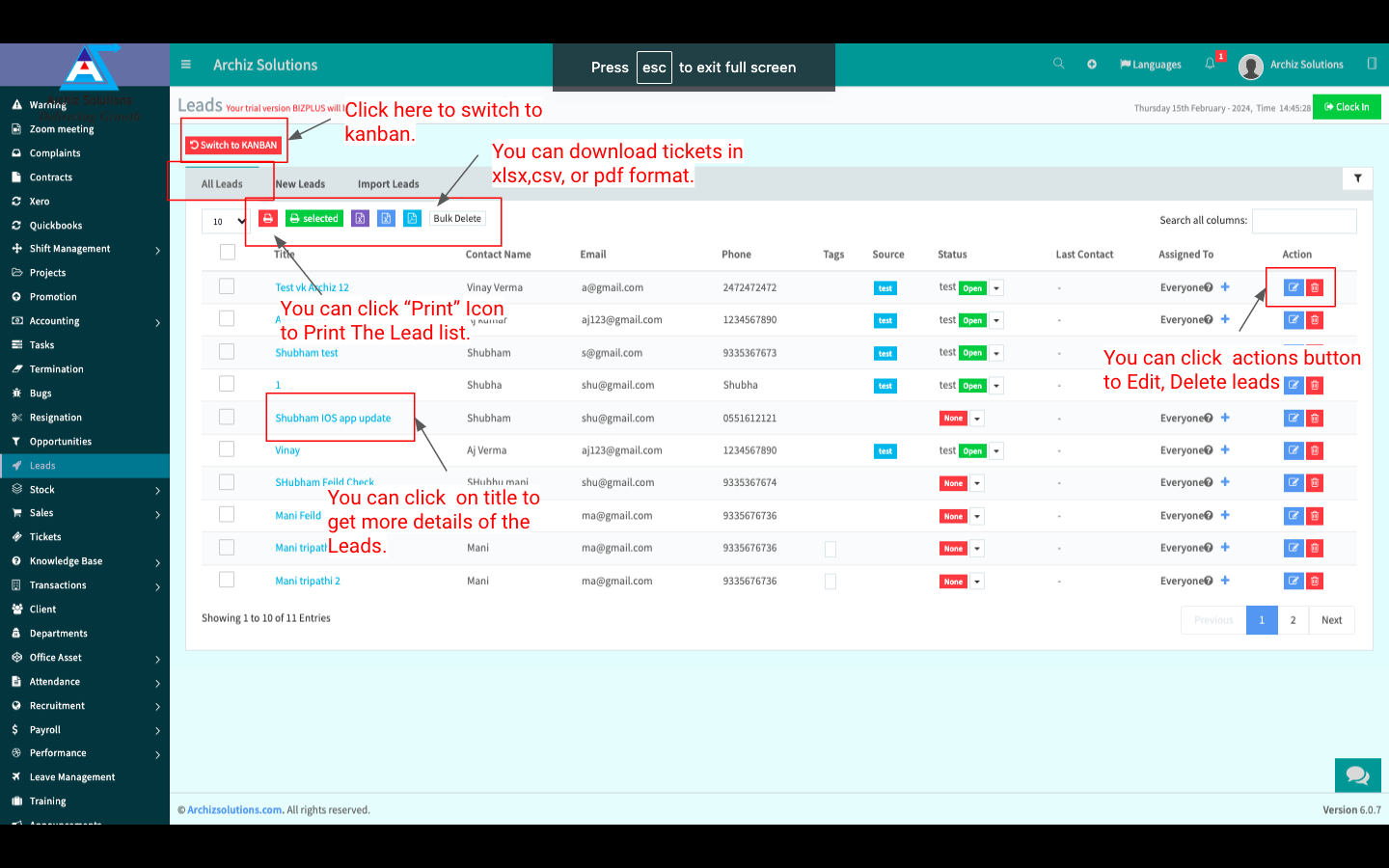
Create Leads:
You can create a New Lead by clicking on “New Leads” beside “All Leads”. Fill up all info and click “Save” to Save the New Lead.
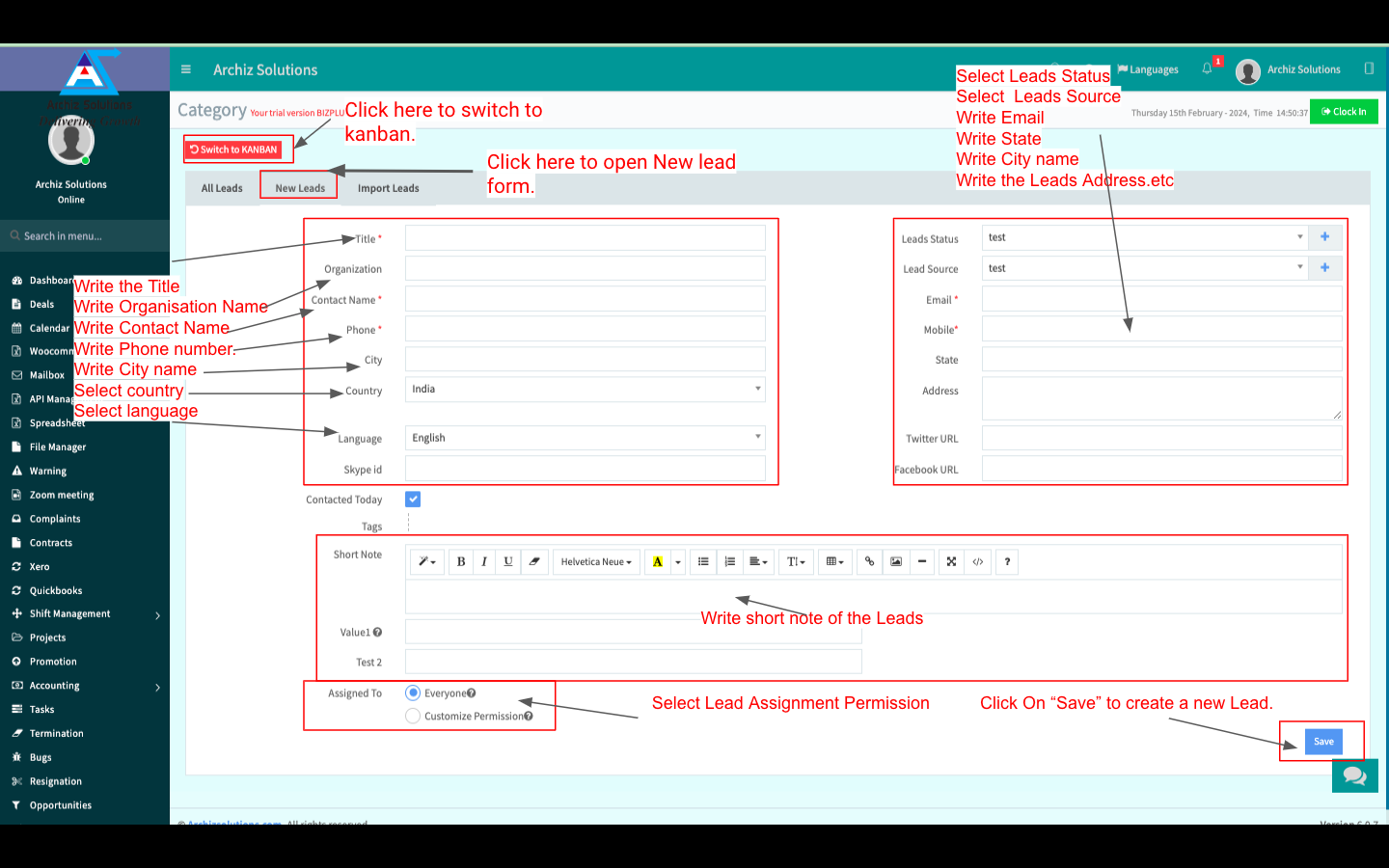
Import Leads:
You can Import Leads from your local storage by clicking on “Import Leads” beside “New Leads”. Select the Lead file (XLSX, CSV format only) and click “Upload” to Upload the selected Lead file.
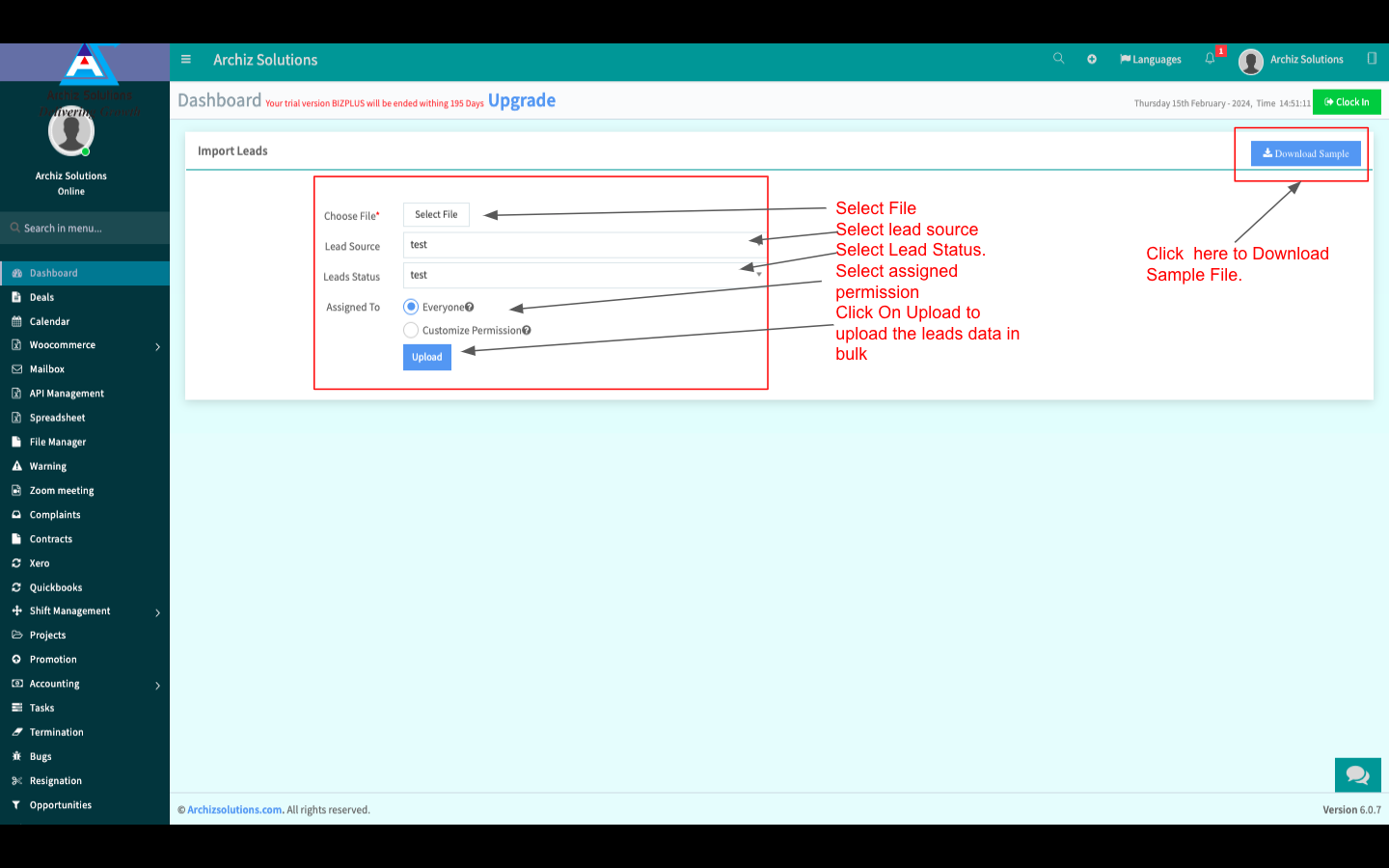
Leads Details:
You can view more details by clicking on the Lead Name. You can Convert the Lead into a Client and change lead status. You can also Edit the Lead.