Click on Stocks and Click on Transfer items.
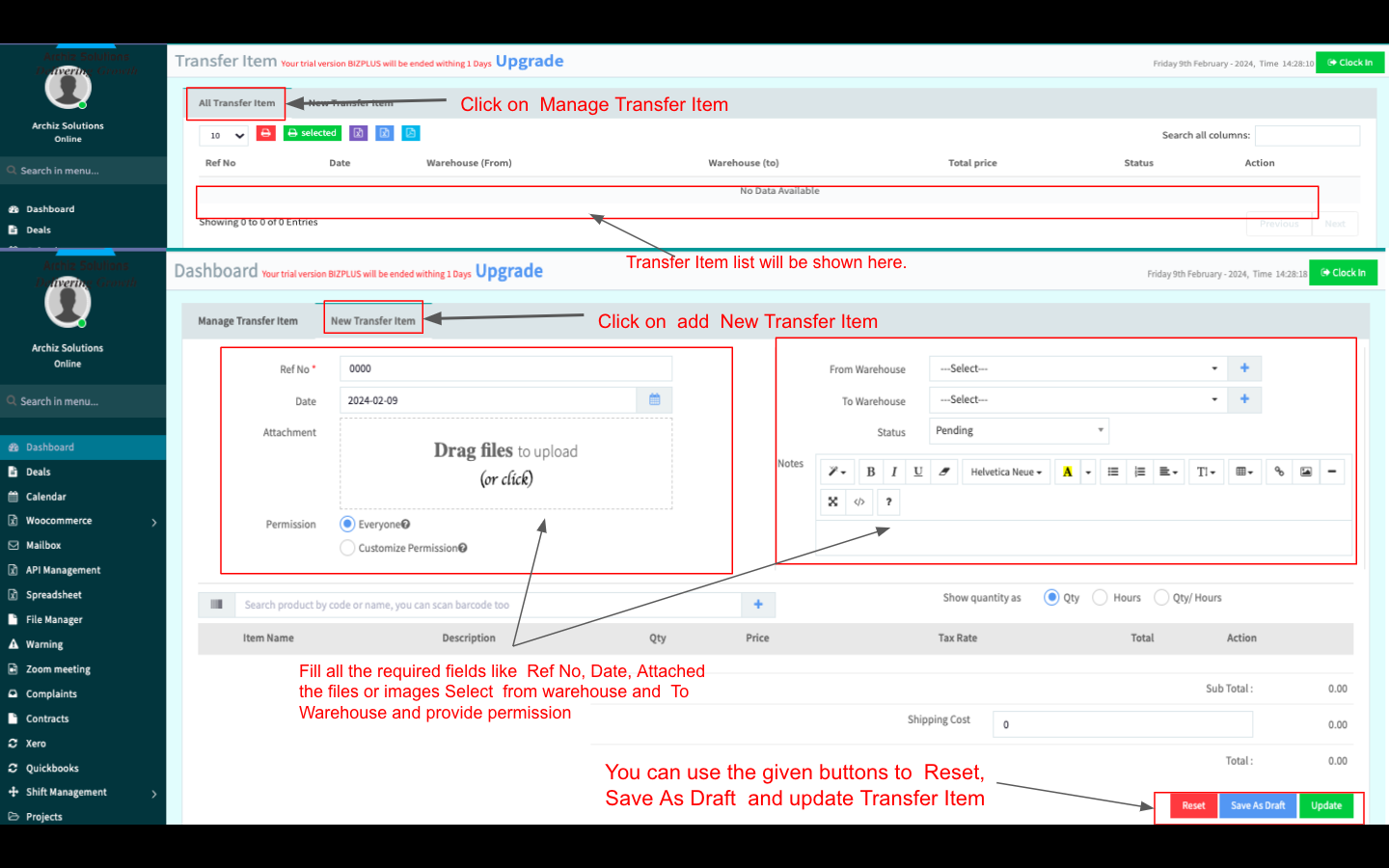
Click on Manage Transfer Items here all the Transfer item lists will be shown
You edit and delete the Transfer item using the Action button
To Add a new Transfer Item, Click on the New Transfer Items
Fill in all the required fields like Ref No, Date, Attached files or images Select from warehouse and To Warehouse and provide permission.
You can use the given buttons to Reset, Save As Draft and update the Transfer Item.