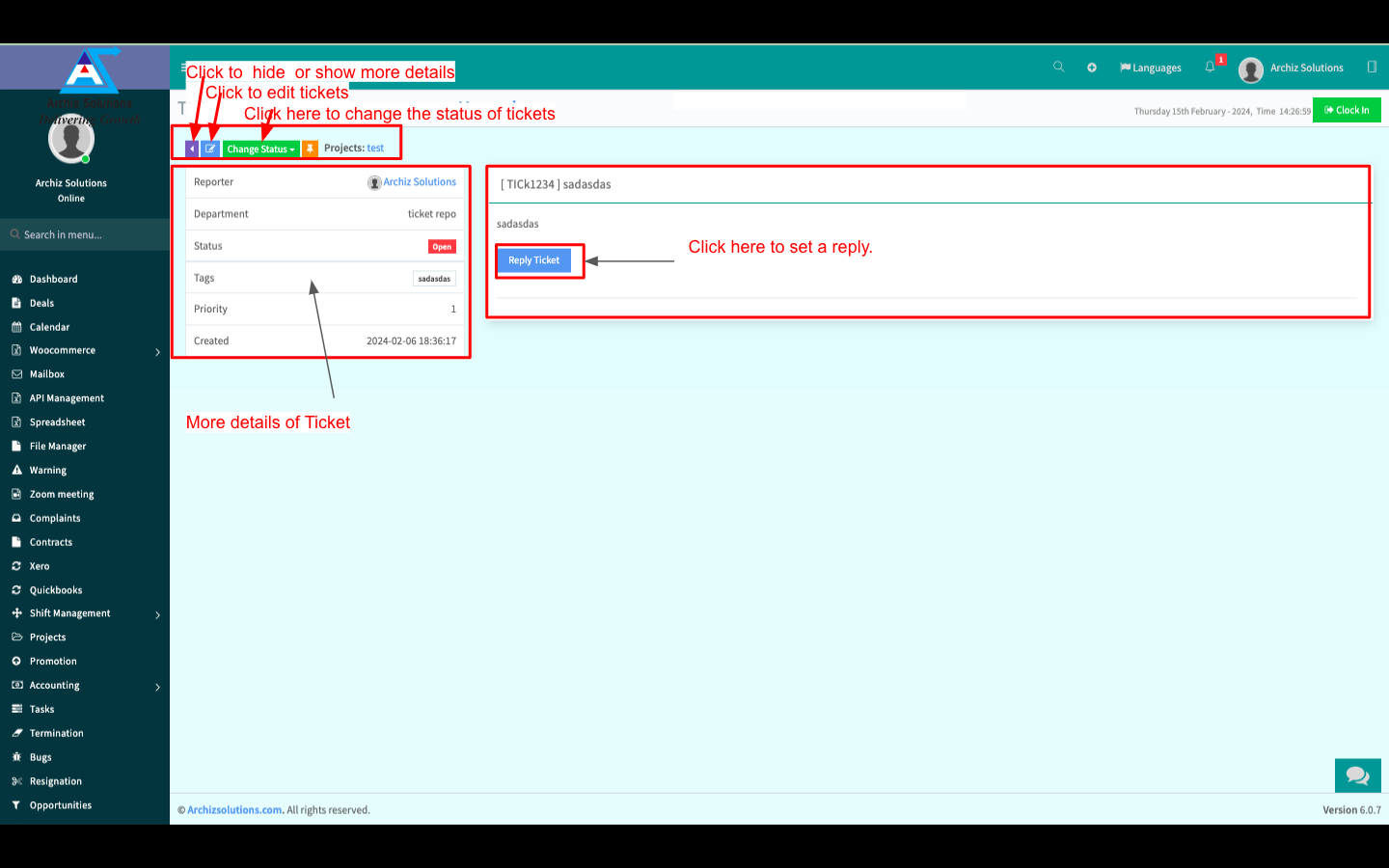
In the “Tickets” menu you can see all Tickets.
You can create New Tickets, Print or Download Tickets in XLSX, CSV or PDF Format, and view more details. You can also Edit, Delete, and Change the status of an existing Ticket.
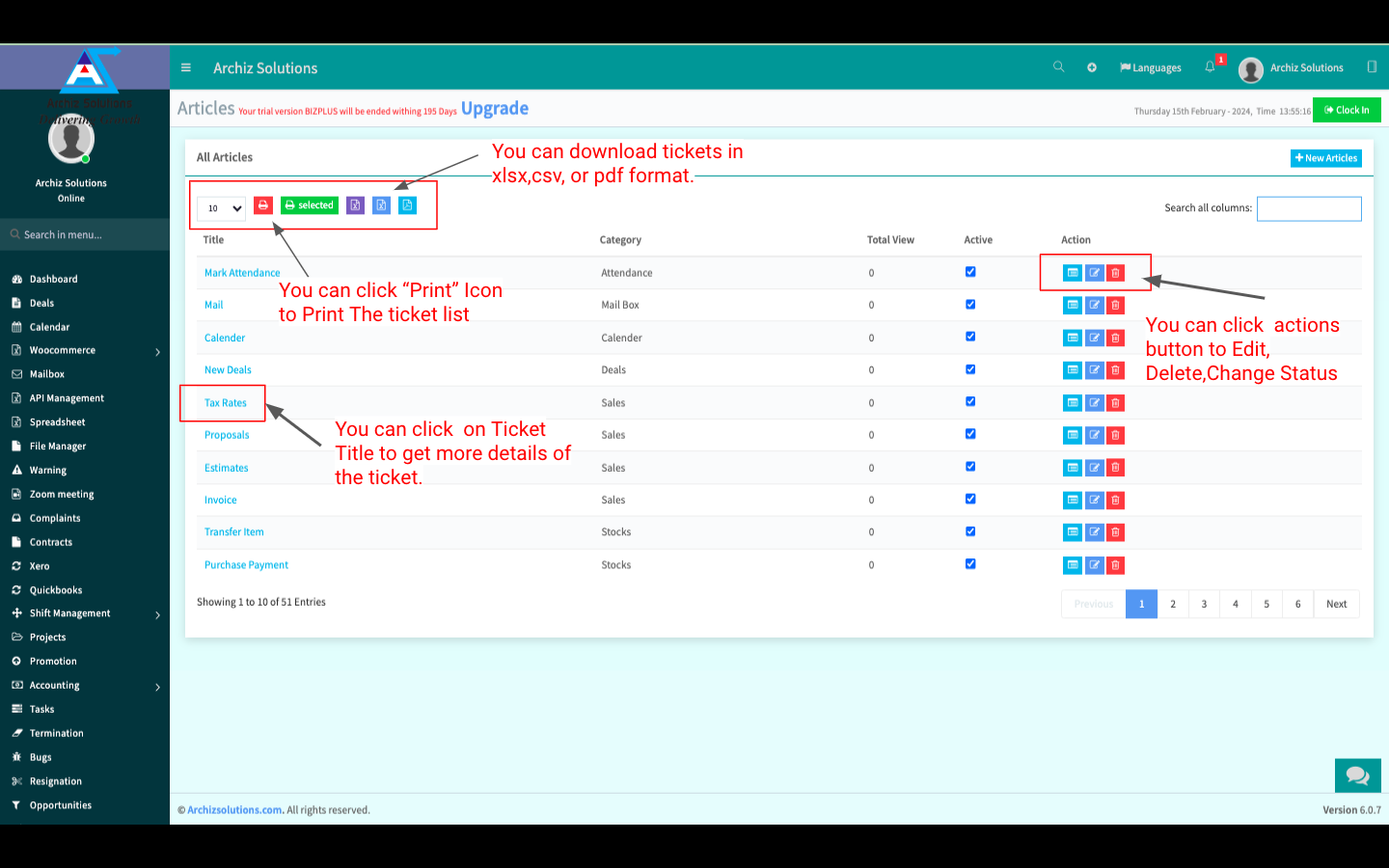
Create New Ticket:
You can create a New Ticket by clicking on “New Tickets” beside “Tickets”. Fill up all the info and click “Create Ticket” to Create a New Ticket.
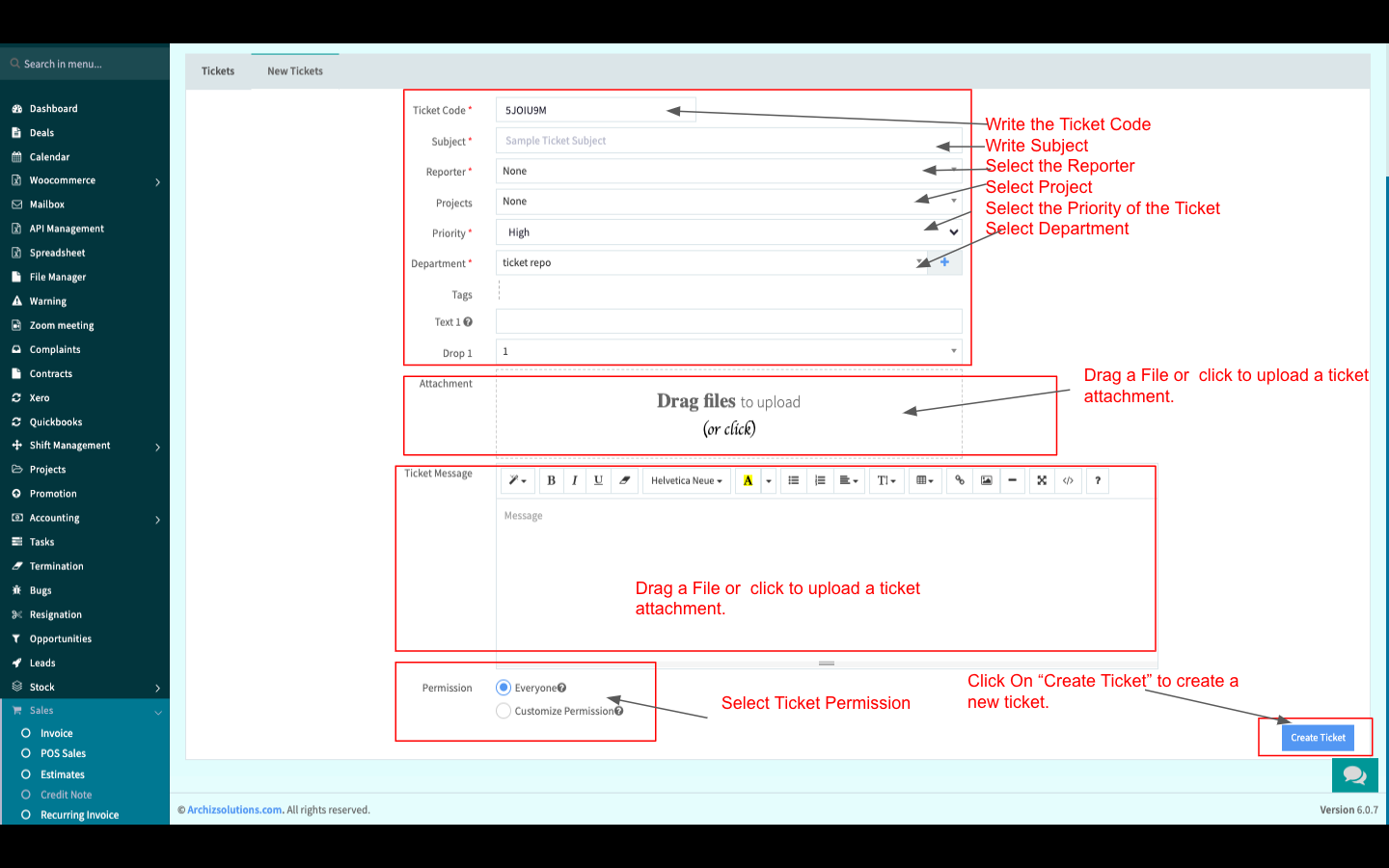
Ticket Details:
You can view more details by clicking on the Ticket Name. You can change the Tickets Status. You can also set a Reply format for Tickets.