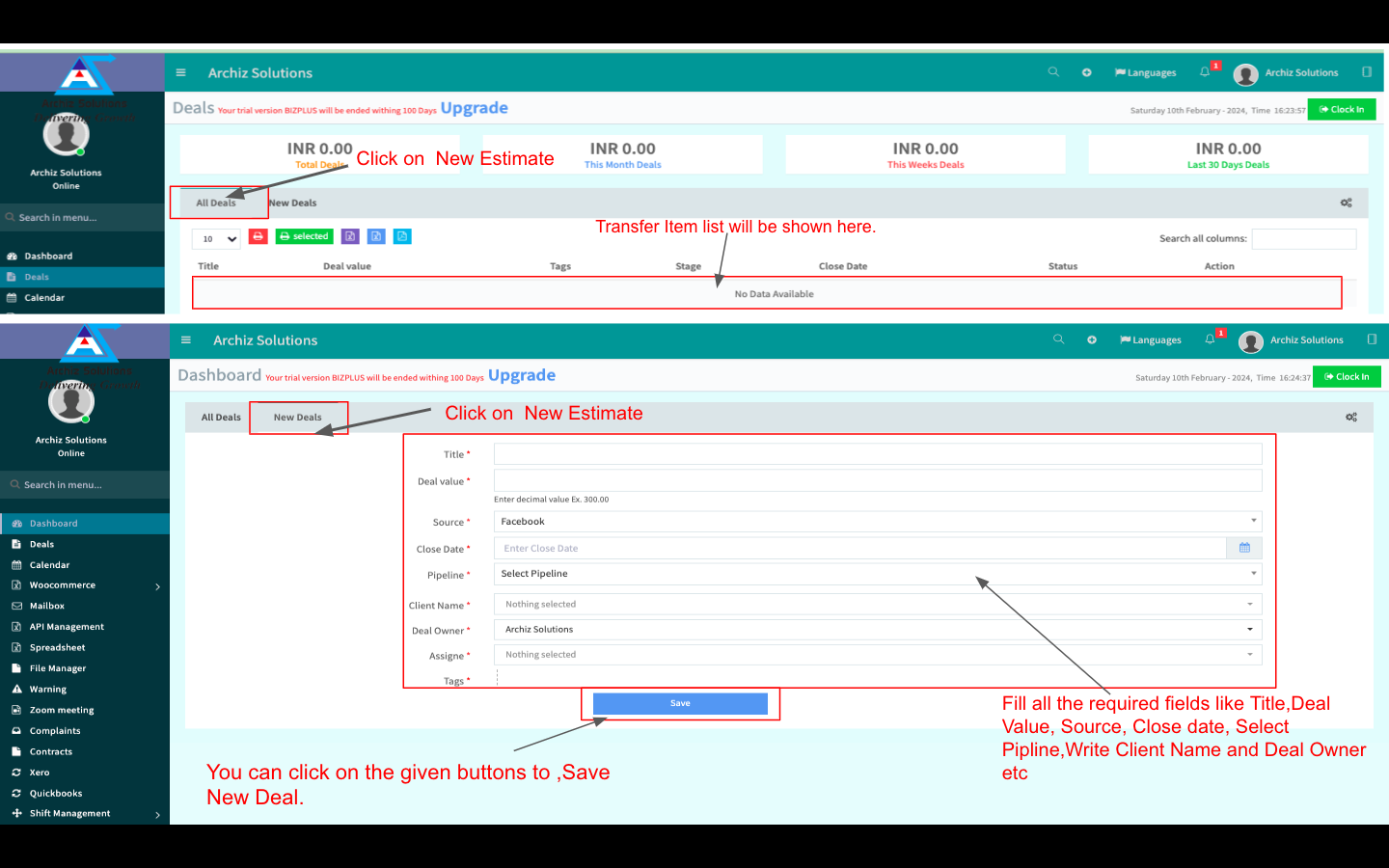
Click on the "Deals" and then click on All Deas.
You will see all the deal lists created in the system.
Click on the" Action" to Edit and Deal or Delete any Deal.
To Add a new Deal Click on the New Deal Tab.
Fill all the required fields like Title, Deal Value, Source, Close date, Select Pipeline, Write Client Name and Deal Owner etc
You can click on the given buttons to , Save New Deal.