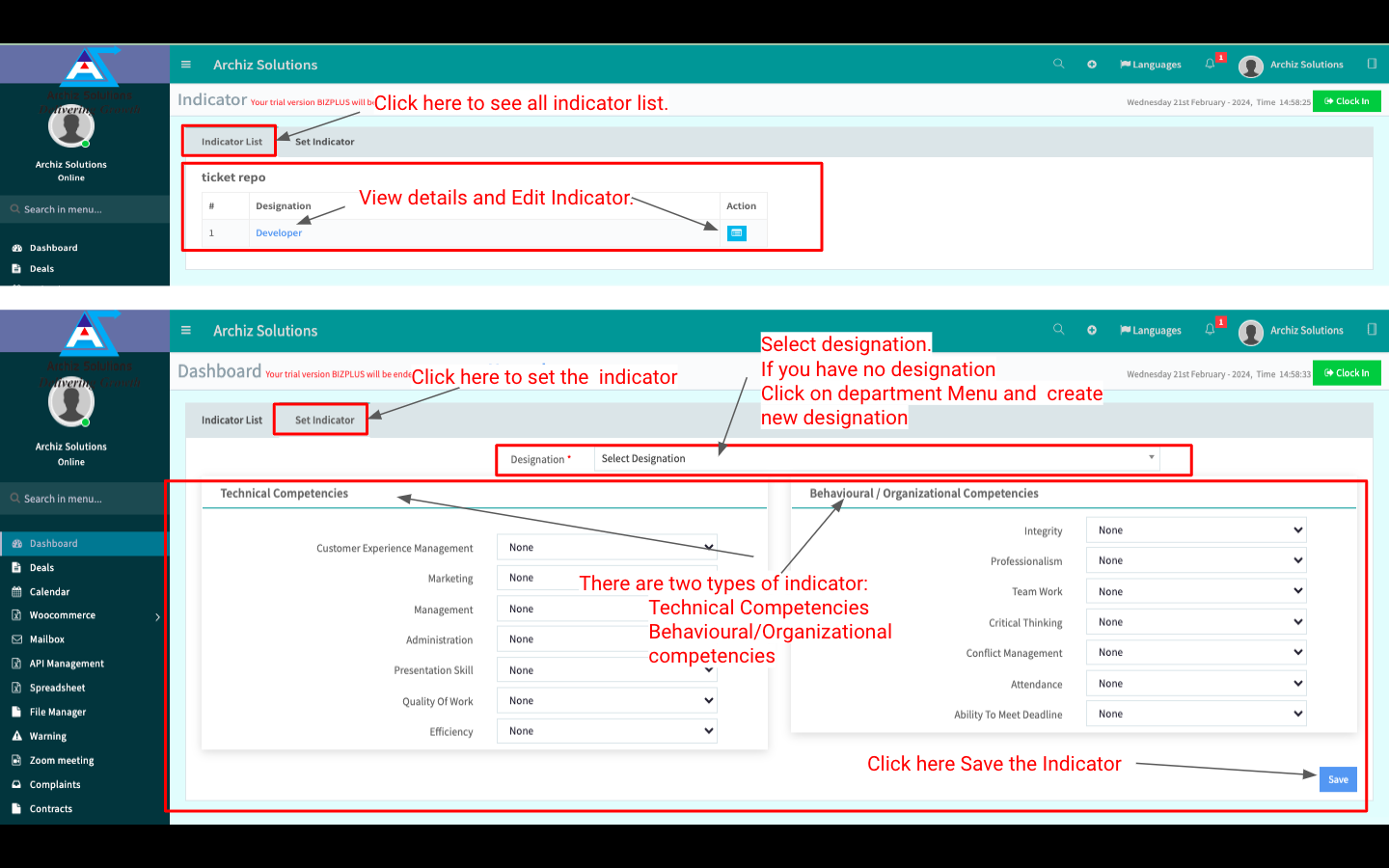
Click the “Performance” button then click “Indicator” to see all Indicators.
You can Set a New Indicator. You can also view more details by clicking Indicator Name.
Indicator List:
Set Indicator:
You can Set a New Indicator by clicking “Set Indicator” beside “Indicator List”. There are two types of the indicators: 1. Technical Competencies, 2. Behavioural / Organizational Competencies. Fill up all info and click “Save” to Set the New Indicator.