Transactions

Click the “Transactions button then click  “Expense”.

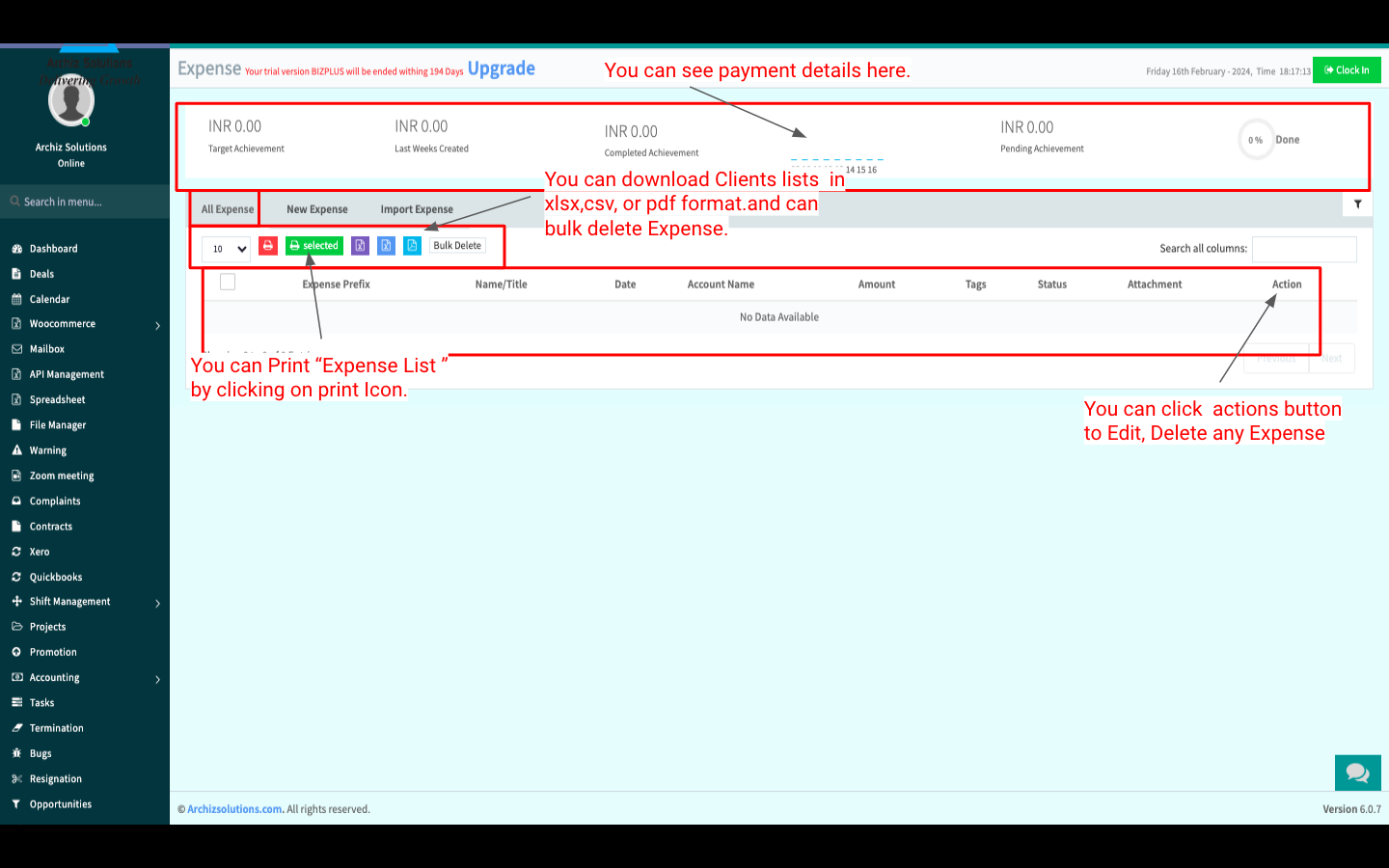
You can Create Expense, View All-Expense, Edit, Delete, Import, Print and Download Expense.

All Expense:


New Expense:

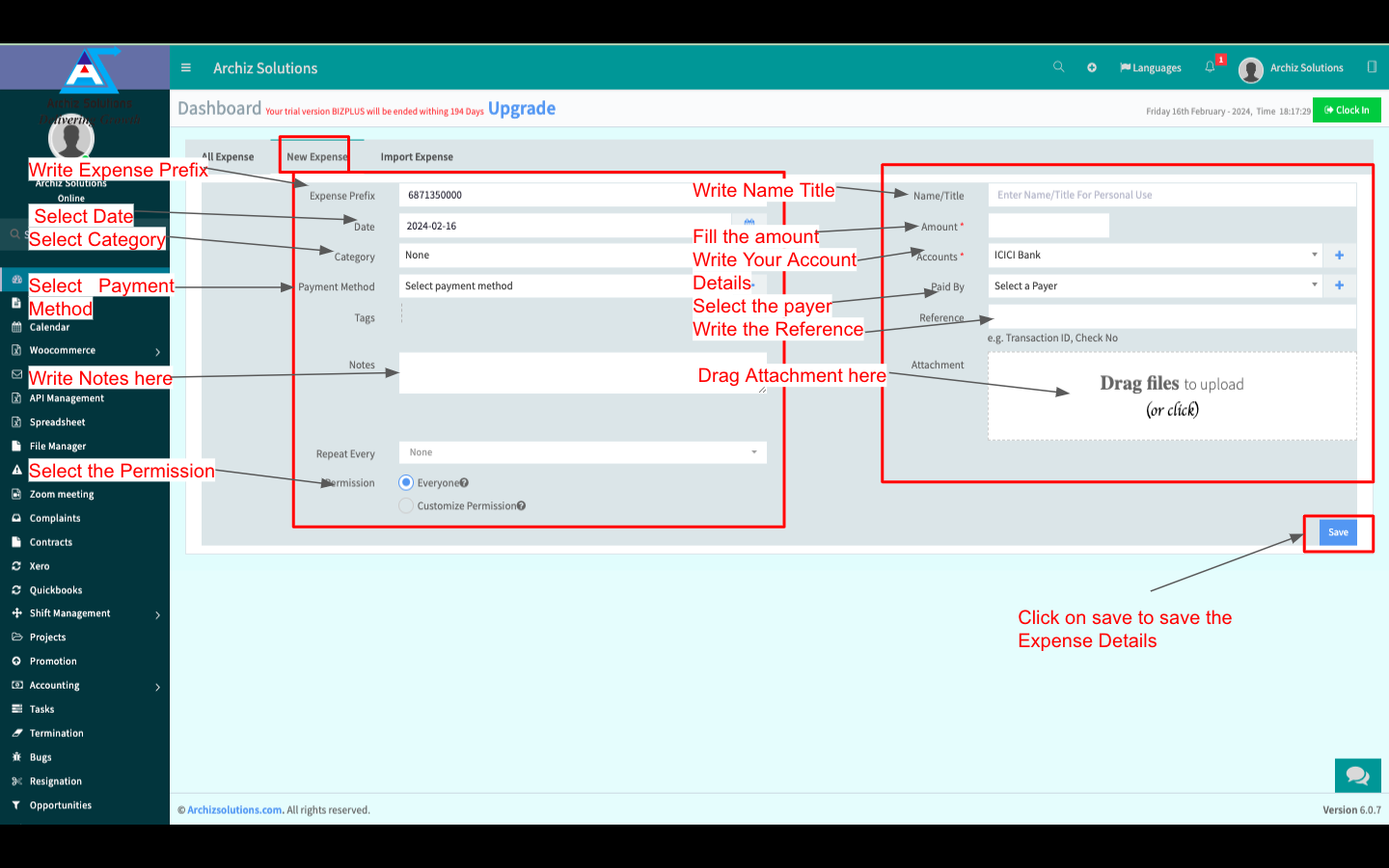
You can Create a New Expense by clicking “New Expense” besides “All Expense”.  Fill up all info and click “Save” to Save the New Expense.


Import Expense:

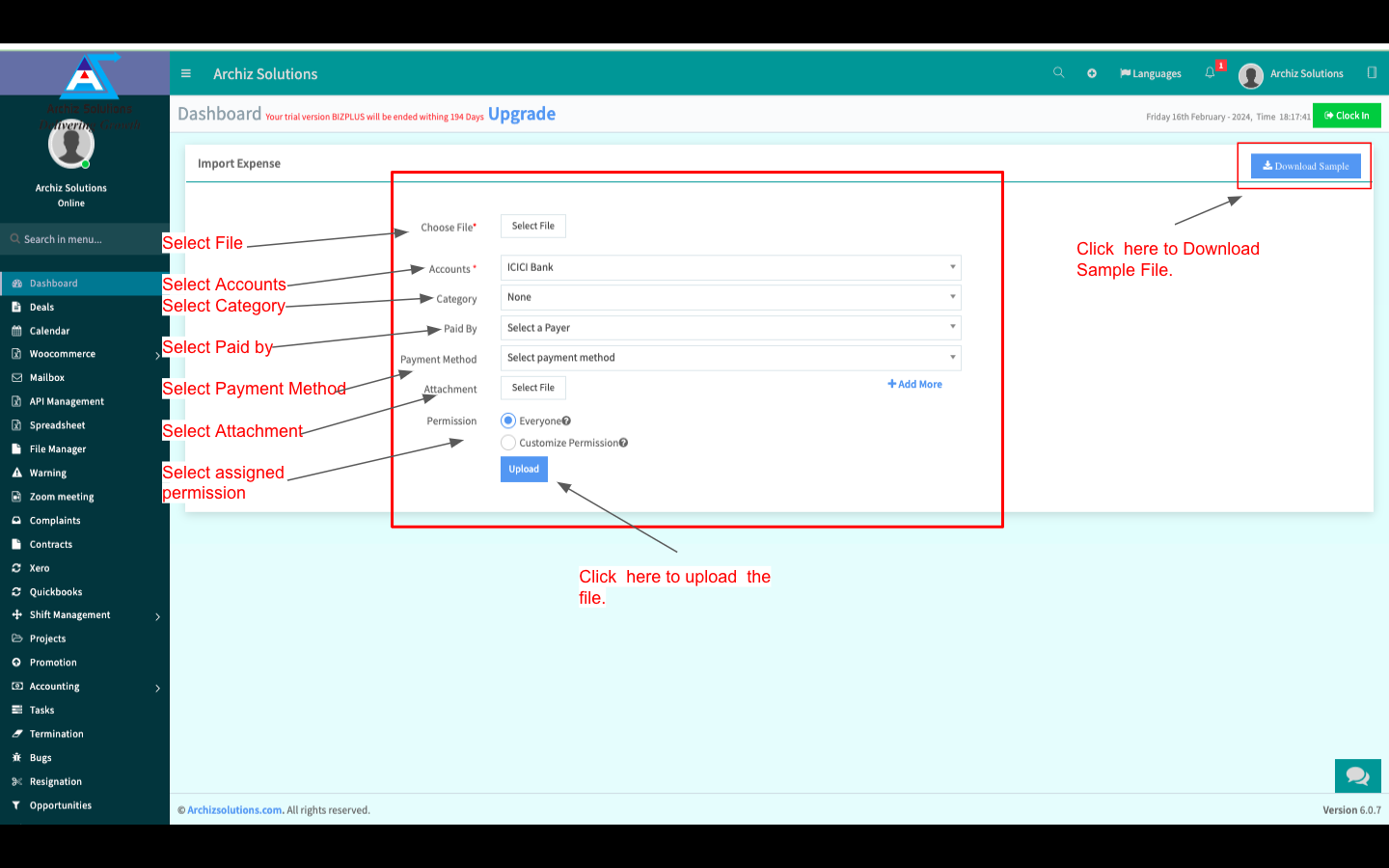
You can also Import Expenses from your local storage(XLSX or CSV File Only). Fill up all the info and click “Upload” to Import the Expense File.


Click the “Transactions button then click  “Deposit”.

You can Create a Deposit, View All-Deposit, Edit, Delete, Import, Print and Download a Deposit.

All Deposit:


Add New Deposit:

You can Create a New Deposit by clicking “New Deposit” beside “All Deposit”.  Fill up all the info and click “Save” to Save the New Deposit.


Import Deposit:

You can also Import Deposits from your local storage(XLSX or CSV File Only). Fill up all the info and click “Upload” to Import the Deposit File.


Click the “Transactions button then click  “Transfer”.

You can Create Transfer, View All-Transfer, Edit, Delete, Import, Print and Download Transfer.

All Transfer:


Create New Transfer:

You can Create a New Transfer by clicking “New Transfer” besides “All Tranfer”.  Fill up all info and click “Save” to Save the New Transfer.


Click the “Transactions button then click  “Transfer Report”.

You can see all “Transfer Report”, Search, Search By, Print, PDF, Download Transfer Report.


Click the “Transactions button then click  “Transactions Report”.

You can see all Transactions Report, Print or Download as XLSX, CSV or PDF Format. You can also see the monthly Graph Chart of Transactions Report below.

Click the “Transactions button then click  “Balance Sheet”.

You can see the “Balance Sheet” and create PDF or Print “Balance Sheet”.


Click the “Transactions button then click  “Bank & Cash”.

You can create “Bank Account”, View All Account, Edit, Delete, Print and Download “Bank & Cash“.

All Account:


Create New Account:

You can Create a New Account by clicking “New Account” besides “Manage Account”.  Fill up all info and click “Create” to Create the New Account.